Kookaburra Procreate Color Palette Guide
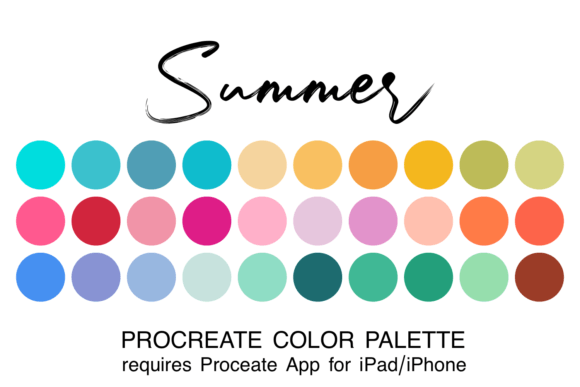
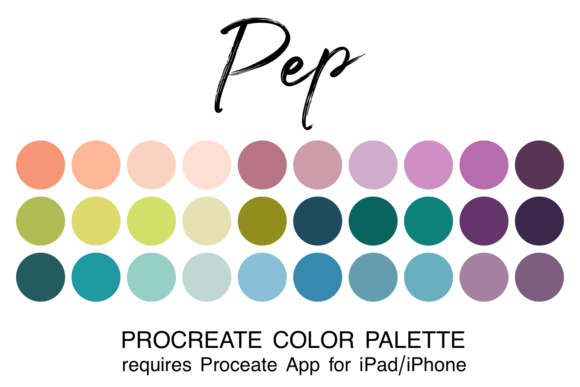
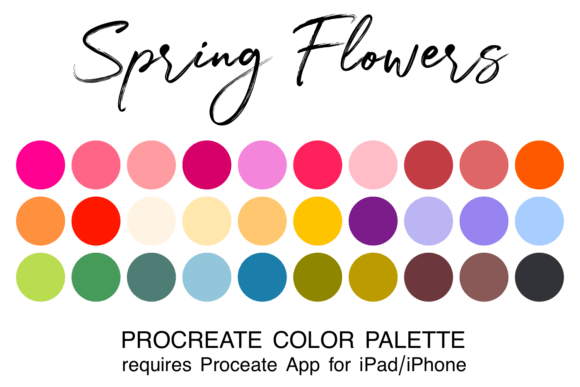
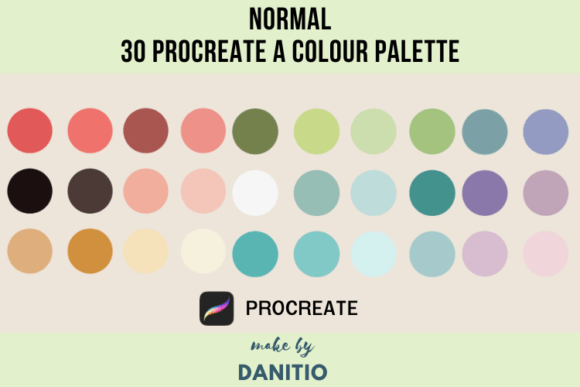
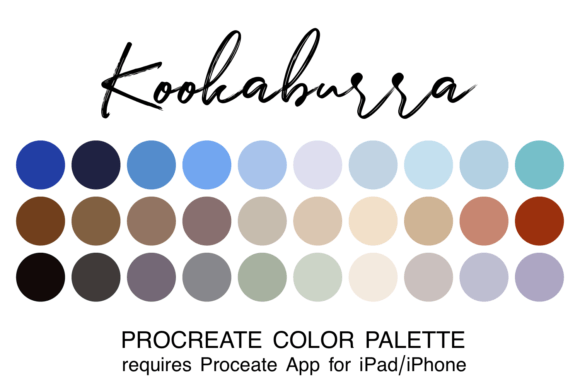
Digital illustration thrives on momentum. When you are in the flow state, the last thing you want is to interrupt your creative rhythm by hunting for the perfect shade of teal or debating whether a shadow should lean warm or cool. This is where a curated collection becomes invaluable. The Kookaburra Procreate Color Palette offers a streamlined solution for artists who want to spend less time mixing colors and more time creating. By providing thirty carefully selected hues in a single, easy-to-install file, this resource removes the friction from the initial stages of digital painting.
For many creators, color theory is both a fascination and a frustration. While understanding complementary and analogous schemes is essential, applying them quickly under deadline pressure is a different skill entirely. A pre-made palette acts as a safety net, ensuring that every stroke you make harmonizes with the next. Whether you are sketching a quick concept or rendering a detailed portrait, having a coordinated set of tones allows you to focus on form, lighting, and composition without second-guessing your chromatic choices.
Why Curated Colors Matter for Different Creators
The value of a tool like the Kookaburra Procreate Color Palette shifts depending on who is holding the Apple Pencil. What serves as a learning aid for one person may function as a productivity booster for another. Understanding how these thirty colors fit into your specific workflow can help you decide if this asset aligns with your current projects.
For Beginners: Reducing Cognitive Load
If you are new to digital art, the infinite canvas of Procreate can feel overwhelming. The color wheel offers millions of possibilities, which often leads to "choice paralysis." Beginners frequently struggle with muddy colors because they do not yet have an intuitive sense of saturation and value relationships. Using a preset palette eliminates this guesswork. Since every color in the Kookaburra set has been chosen to work together, it is nearly impossible to create a discordant image. This allows new users to build confidence. You can experiment with brush textures and layer modes knowing that the underlying color structure is solid. It transforms the learning process from a technical challenge into a playful exploration.
For Professionals and Freelancers: Speed and Consistency
Experienced illustrators, graphic designers, and freelancers often work under tight deadlines. For these professionals, time is money. Setting up a custom palette for every client project can eat into billable hours. The Kookaburra Procreate Color Palette provides a ready-made foundation that is particularly useful for rapid prototyping or storyboarding. Furthermore, consistency is key in brand work. If you are creating a series of social media graphics or editorial illustrations, using a unified color scheme helps maintain visual coherence across multiple pieces. Professionals can use this palette as a starting point, tweaking individual hues slightly while retaining the overall harmonic balance, thus speeding up the delivery process without sacrificing quality.
For Educators and Hobbyists: Structured Creativity
Art teachers and workshop leaders often look for resources that simplify instruction. Distributing a shared palette ensures that all students are working with the same constraints, making it easier to teach concepts like light sources and shading. Similarly, hobbyists who paint for relaxation rather than profit often find that limitations boost creativity. Instead of facing a blank screen, they have a defined sandbox. The earthy, natural tones often associated with kookaburra-inspired themes encourage organic, calming artwork, which is ideal for stress relief and mindful creation.
Practical Application and Installation
One of the strongest features of this resource is its simplicity. It is designed specifically for the Procreate ecosystem, meaning there is no complex conversion process required. However, proper installation is crucial to accessing the files correctly. Here is how you can integrate these colors into your workflow seamlessly.
First, ensure you have the Procreate app installed on your iPad or iPhone. This file format is exclusive to Apple’s creative suite. Once you have purchased or downloaded the asset, you will receive a zipped file. Navigate to your iPad’s "Files" app and locate the download in your "Downloads" folder. Tap the zip file to unzip it. Inside, you will find the ".swatch" file. Simply tap on this filename, and your device should automatically prompt to open it in Procreate. The palette will then be added to your library.
To access your new colors, open any canvas in Procreate. Click on the colored dot located in the top right corner of the interface to open the Color Panel. Navigate to the "Palettes" tab at the bottom. You will see the Kookaburra Procreate Color Palette listed among your defaults. For frequent users, you can set this as your default palette, ensuring it loads every time you start a new project. This small setup step saves significant time in the long run, keeping your most-used tools within immediate reach.
Evaluating Fit for Your Workflow
Before adopting any new asset, it is wise to consider how it matches your artistic goals. The Kookaburra Procreate Color Palette is not a universal solution for every genre, but it excels in specific areas. If your work relies heavily on neon cyberpunk aesthetics or high-contrast pop art, this earthy, coordinated set might feel too muted. However, if you specialize in nature illustrations, character design, children’s book art, or lifestyle blogging graphics, these thirty colors offer a versatile range of mid-tones, shadows, and highlights.
Consider the long-term usefulness of the tool. Unlike a trendy brush pack that might fall out of favor, a well-balanced color palette remains relevant. The thirty colors included are likely spaced to cover a broad spectrum of values, allowing you to create depth without needing to mix extensively. This makes the palette reliable for both quick sketches and finished pieces. For entrepreneurs and small business owners creating their own marketing materials, this reliability translates to a consistent brand voice. You do not need a degree in color theory to produce professional-looking visuals when the heavy lifting has already been done for you.
Ultimately, the decision to use a curated palette comes down to your priority at the moment. If you seek total control and enjoy the scientific process of color mixing, you may prefer building your own libraries. But if you value ease of use, speed, and immediate aesthetic harmony, adding the Kookaburra Procreate Color Palette to your assets is a practical move. It allows you to bypass the technical hurdles and reconnect with the joy of drawing, painting, and creating.
By integrating such tools into your digital toolkit, you acknowledge that creativity is not just about raw talent, but also about optimizing your environment. Whether you are a marketer needing quick visuals, an educator teaching fundamentals, or an artist seeking inspiration, a coordinated color set provides the structure needed to let your ideas flourish. Download, install, and start creating with confidence, knowing that your colors are already working in harmony.